How to install Advantage Air APK
How to install Advantage Air APK
Step-by-step instructions on how to find and install Advantage Air
Getting Started
To find out which Advantage Air system is installed in your home, go to your wall mounted touch screen and check the name and icon of the app installed.
wall mounted touch screen and check the name and icon of the app installed.Please use the latest version of Google Chrome browser and follow the Installation procedure below.
Installation procedure below.
APK Installation
Step 1:
Download the Android Application Package (APK) that matches your system from the Android Apps download page.
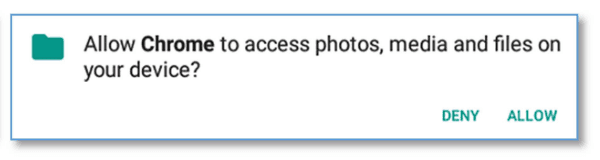
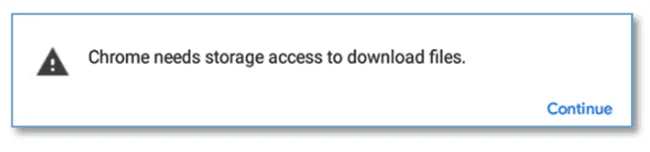
If you encounter these pop-ups, press “Continue” and then “ALLOW”.
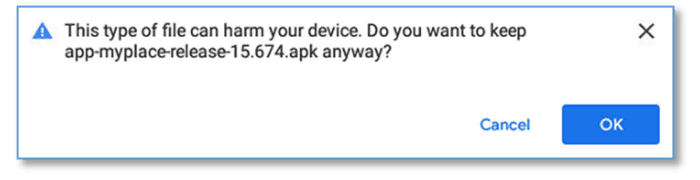
If you encounter this pop-up, press “OK”.
Step 2:
After the file is downloaded, press “Open”.

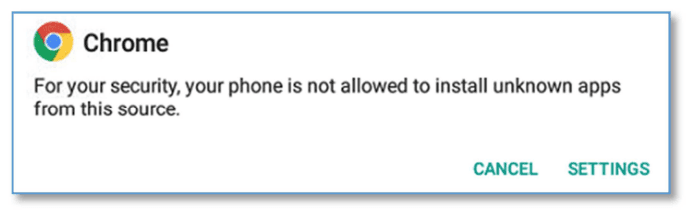
If you encounter this pop-up. Press “SETTINGS”.
Press the toggle switch to allow Chrome to run the APK.
Press the back button on the bottom navigation bar.
Step 3:
Press “Install”.
If you have any questions or issues with this, please give Advantage Air Tech Support a call on 1300 850 191.