How to set up your MyMonitors
How to set up your MyMonitors
Your guide to connecting your MyMonitor feature to your MyPlace system.
Download the PDF setup guide here.
BEFORE YOU START
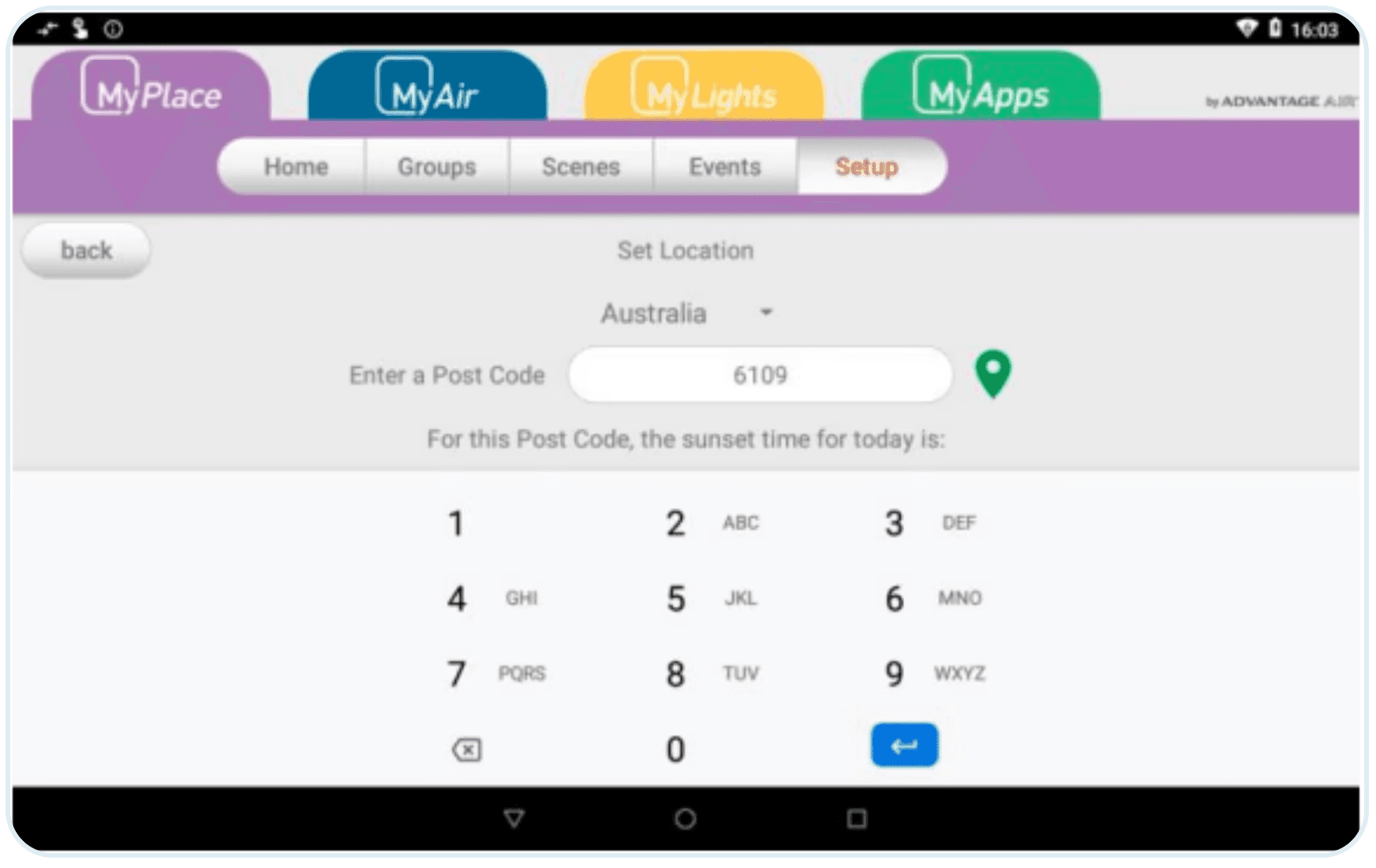
Before connecting your new MyMonitor feature, please set your post code on your MyPlace system.
Tablet should be connected to Wi-Fi for accurate and up-to-date information
Enter your postcode in Setup > options > Location
PAIRING YOUR LICENSED HUE BRIDGE
Once you have successfully added your post code. You now have the option to connect a Licenced Hue Bridge once the Hue Bridge is connected you can add up to 40 bulbs and 10 Motion Sensors.
In order to pair a Licensed Hue Bridge to your MyPlace system please first set up the Bridge by following the Phillips guide found HERE.
Now that you have connected the Bridge, Light and Sensor through your mobile phone, you can link them to your MyPlace system.
Your Wall Mounted Tablet must be connected to same Wi-Fi as your hue bridge.
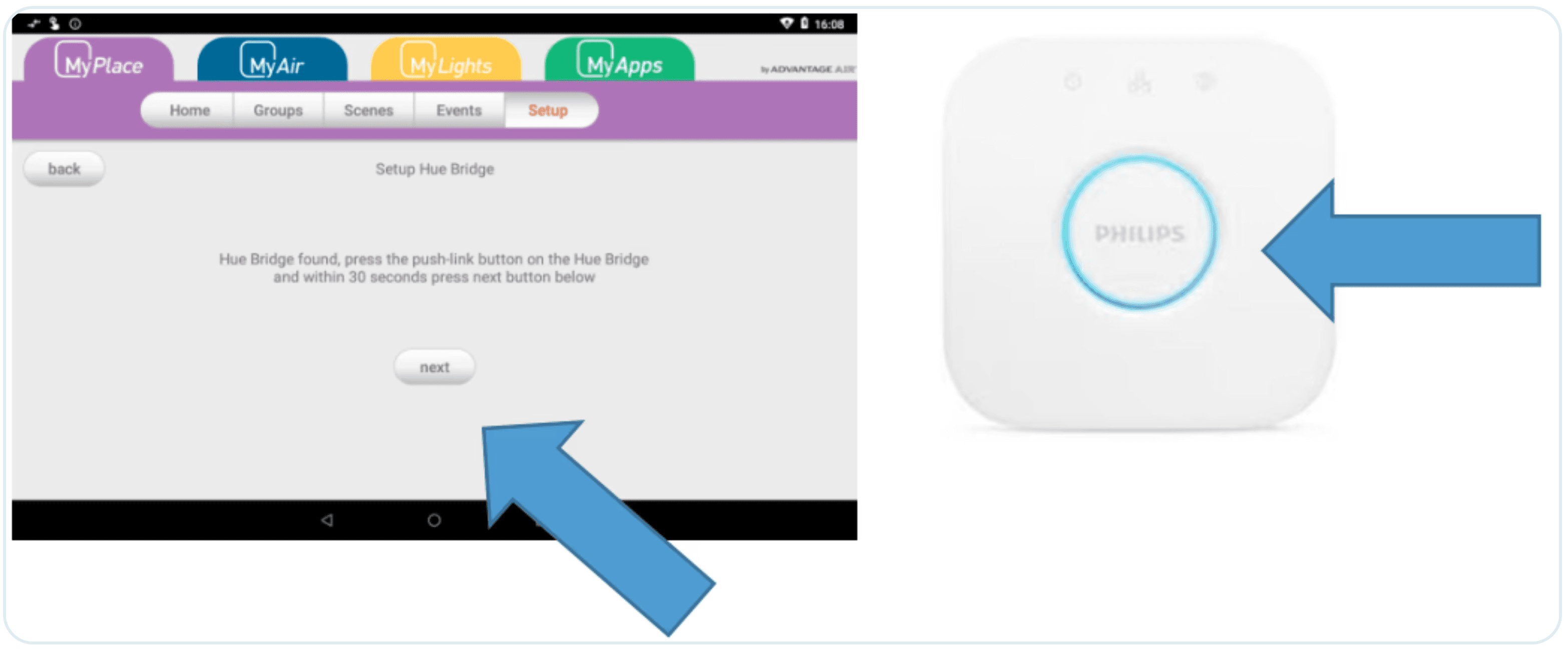
Go to Setup > options > Licensed Hue Bridge and press the setup button
Follow the on screen instructions and press the link button on the Hue Bridge.
Within 30 seconds tap the “Next” button on your MyPlace Tablet
Your MyPlace Tablet and Hue Bridge will automatically sync.